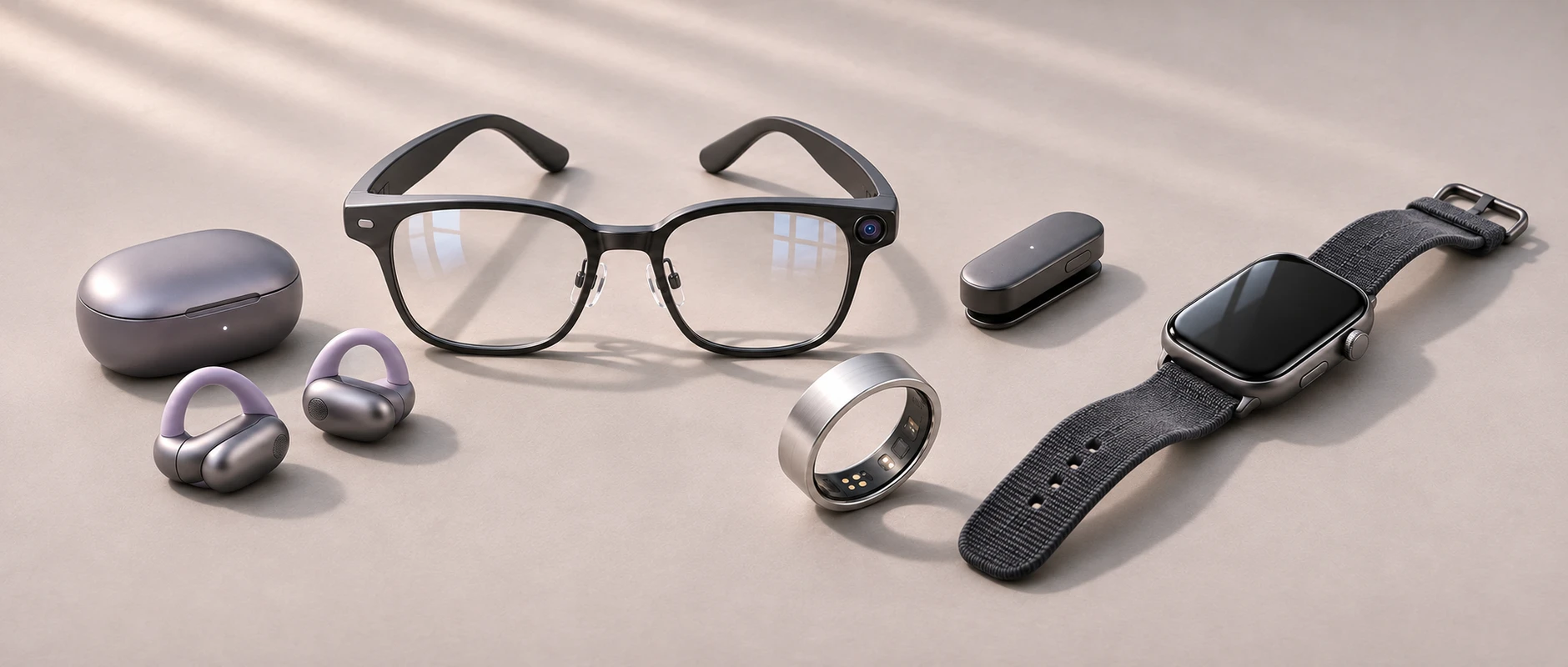
AI Wearables Roundup: From Glasses to Rings, What Can On-Body AI Actually Do?
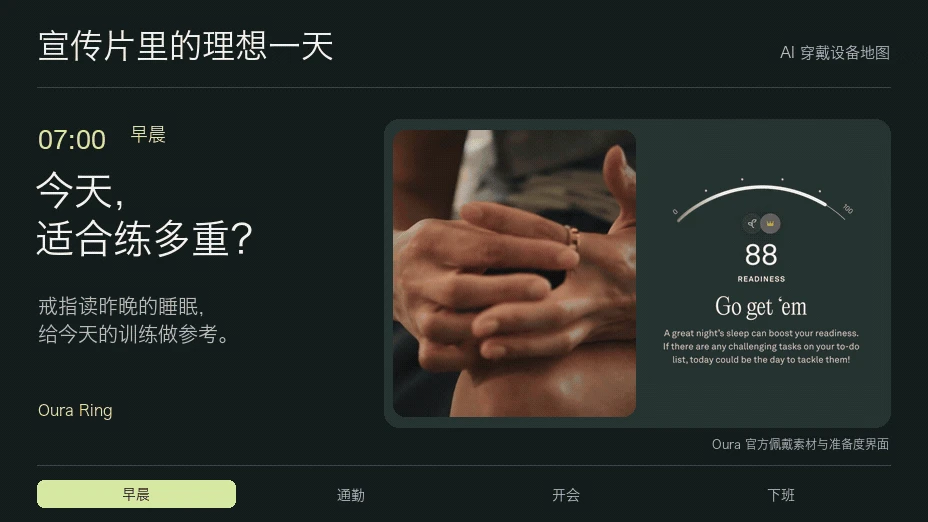
Promotional videos for this year's AI wearables depict an idealized lifestyle: rings advising on workouts based on sleep data, earbuds dispatching tasks to agents during commutes, clip-on recorders summarizing meetings, and smart glasses answering product queries and comparing prices in stores.
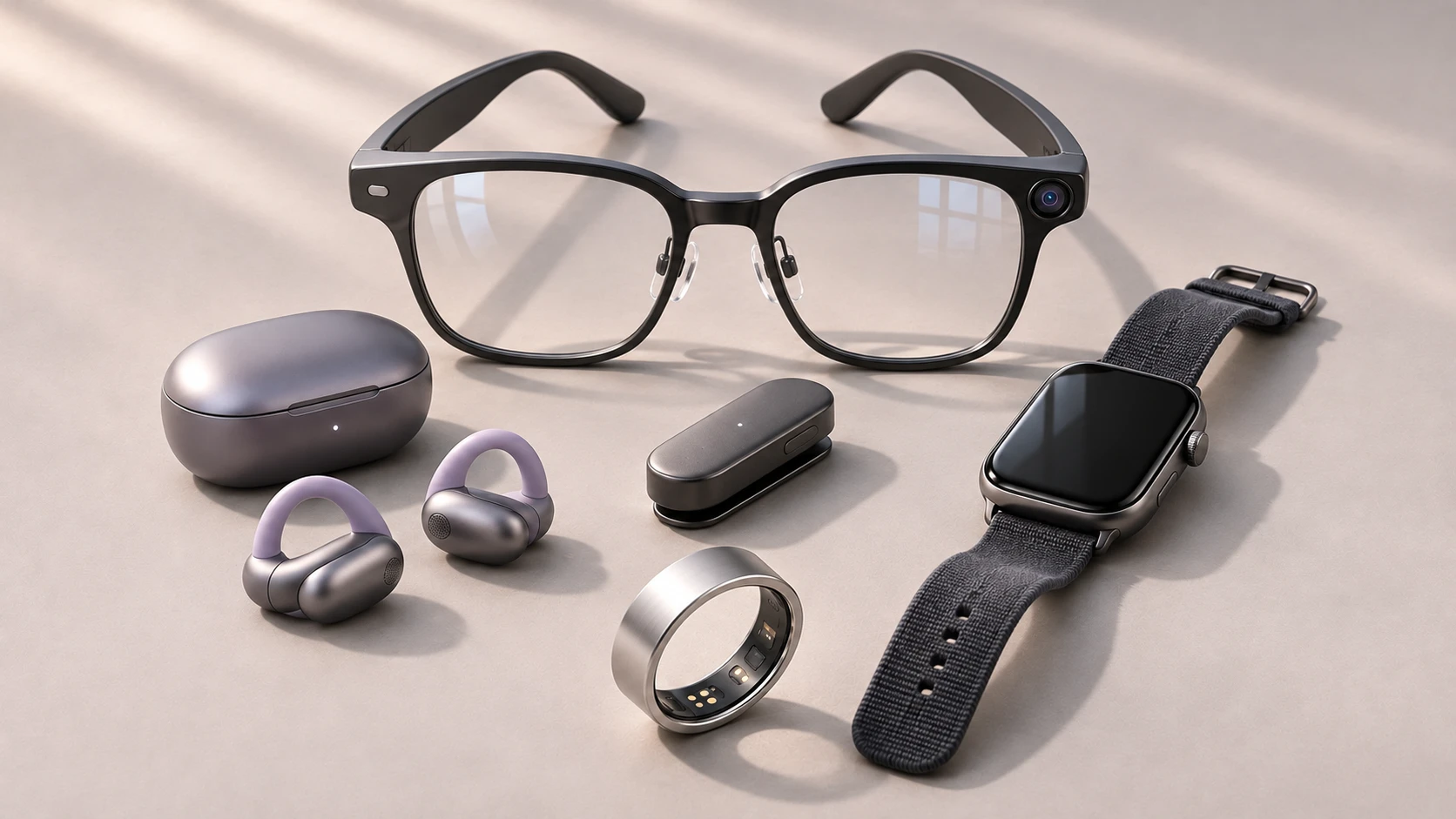
If you were to splice together this year's promotional videos for various AI wearables, the depicted lifestyle would look idyllic. In the morning, a smart ring analyzes your sleep data to advise whether you should work out. During your commute, earbuds forward tasks to an AI agent, allowing you to start working before you even reach your desk. In a meeting, a clip-on recording device has already summarized the key points. After work, you walk into a store, glance at a product, and ask a casual question; your smart glasses provide the answer, and can even compare prices and place an order online.
Consumers also appear willing to pay for these experiments. According to IDC data, global smart glasses shipments reached 7.114 million units in the first half of 2026, a year-on-year increase of 70.5%. During the recent JD.com Double 11 shopping festival, sales revenue for AI glasses surged 300% year-on-year. Meanwhile, Plaud, a maker of AI recording devices, has seen its cumulative shipments surpass 2 million units.
On closer inspection, however, the smartphones already in our pockets can do all of these things. Taking a photo to ask an AI what it is, recording and transcribing meetings, or chatting with an AI via voice while walking are hardly novel features. Given this, why spend hundreds or even thousands of yuan to wear yet another device?
The answer lies in the phrase "worn on the body." For instance, you cannot free your hands to take photos while looking after children, nor would you specifically open a recording app while casually chatting with colleagues, and it is impossible to rely on a smartphone to track your heart rate while you sleep. Therefore, different devices worn on different parts of the body capture different types of information and enable different use cases.
So, how much practical help do these products actually offer at this stage? Which features justify buying a dedicated device, and which can be adequately handled by the gadgets we already own?
Are the same functions better when worn on the body?
If you enjoy capturing daily life with photos, you have likely experienced this scenario: your child or pet suddenly does something amusing, but by the time you pull out your smartphone and open the camera app, the moment has already passed.
This is why, despite image quality that cannot match smartphones, many people are still willing to buy a dedicated pair of smart glasses to record their lives. Camera-equipped smart glasses like the Ray-Ban Meta and RayNeo V4 can capture footage from a perspective close to the human eye, eliminating the need to free your hands to hold a phone. This is especially useful when looking after children, cycling, or cooking; whenever you see a moment worth capturing, you can simply press the temple of the glasses to take a picture.
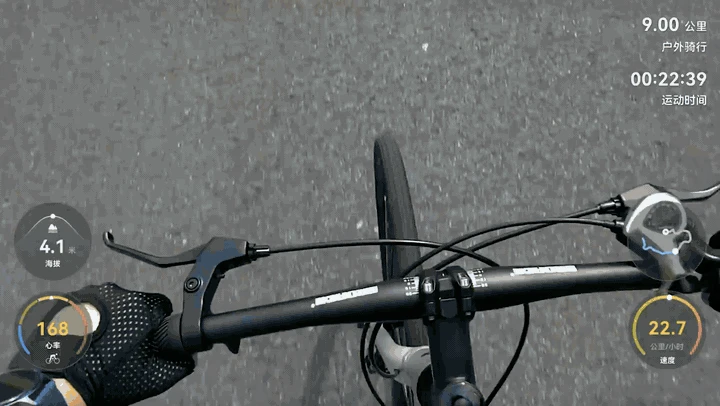
The integration of AI has also given the cameras on smart glasses purposes beyond simple photography. For instance, when traveling abroad and unable to read a menu, exploring an exhibition and wanting to learn about an artifact, or checking food ingredients at a supermarket, users previously had to pull out their phones to take a photo and search. Now, they can simply ask a question while wearing the glasses.

However, putting this into practice is not that simple. Imagine walking through a supermarket with a row of snacks on a shelf. You stare at one package and ask, 'Is this high in calories?' How would the glasses know which package you are referring to? When taking a photo with a phone, we subconsciously adjust the lens to center the object of our query in the frame. In contrast, the camera on smart glasses faces outward and has no way of knowing where the user's eyes are actually looking.
Could the glasses instead determine what the user wants to ask about directly through their line of sight? Several manufacturers are already exploring this direction this year. For example, the Qwen N1 Pro incorporates eye-tracking capabilities into the glasses, combining the user's gaze with the camera feed to determine exactly which object they are focusing on.
Beyond enabling AI to see what we are looking at, another wave of smart glasses is focused on displaying necessary information directly within the user's field of view. This allows cyclists to navigate without looking down, speakers to deliver presentations without repeatedly glancing at a teleprompter, and people to converse with foreigners without constantly staring at translation results on a phone. While these features have long been available on smartphones, smart glasses offer a much more seamless experience when both hands are occupied or when the user cannot easily look away from their immediate surroundings.

Some manufacturers are also experimenting with enabling code-scanning payments directly through the glasses. However, pulling out a phone to scan a code takes only a few seconds. Compared to navigation or teleprompting, it remains questionable whether the payment feature holds significant appeal for everyday consumers.
Of course, beyond photography and display, many current smart glasses also support listening to music, taking phone calls, voice translation, and summoning an AI assistant at any time. If you have no need for the camera or display features and simply want to interact with AI without pulling out your phone, you do not even need to buy a pair of glasses—a standard pair of smart earbuds can accomplish the same thing.
This is precisely the direction many AI earbud manufacturers are targeting this year. However, compared to smart glasses, it is much harder for AI earbuds to establish a meaningful differentiation. Features such as real-time translation, message broadcasting, voice assistants, and voice-activated information retrieval—which are heavily promoted by many AI earbud brands—are no longer novel on Apple AirPods and other mainstream Bluetooth earbuds.

What is truly novel about current AI earbuds is their ability to connect to AI agents capable of executing complex tasks. If an idea strikes while walking, users can casually ask the agent to look up information, organize their schedule, or even handle certain work tasks in advance.

But does this necessarily require a new pair of earbuds? If a smartphone's AI assistant can already handle similar tasks through standard Bluetooth earbuds, the real comparison for consumers is no longer about which pair of earbuds has more AI features. Instead, it comes down to whether dedicated AI earbuds can make the entire process significantly smoother.
Can they keep working after the phone screen locks? Can they reduce wake-up and response times? Once a task is assigned, do you genuinely not need to pull out your phone to handle the rest? If these user experiences show no meaningful improvement, simply switching to a new pair of earbuds just to access an AI agent isn't a very compelling reason to buy.
Smart glasses, on the other hand, offer at least two hard-to-replace capabilities: first-person recording and a heads-up display. But accessing these experiences comes at an extra cost for consumers.
Most AI glasses on the market today with cameras or displays weigh around 50 grams. While some manufacturers have optimized frame design and weight distribution to reduce strain on the nose bridge and ears, wearing them for extended periods is still more fatiguing than wearing regular glasses. This is especially true for nearsighted users, who must also factor in the added weight of prescription lenses.
As a result, some manufacturers have started stripping things back this year. RayNeo, for instance, removed the camera and speakers from the RayNeo iO, retaining only a binocular monochrome display and dropping the weight to 34 grams. For users who only need a teleprompter, navigation, and subtitles, trading a few AI features for a pair of glasses they are actually willing to wear every day might be a better deal.

Beyond weight, most smart glasses last only four to six hours with light use, and battery life drops even further during frequent recording or display usage. Poor display visibility in bright outdoor light, subpar audio performance in noisy environments, and the social friction caused by wearing a camera all deter regular use.
Therefore, when buying smart glasses at this stage, it is best to figure out exactly which features you need most, rather than simply choosing the pair with the most functions. As for AI earbuds, if you already have a comfortable pair of Bluetooth earbuds, it makes sense to first test how well they work with your smartphone's AI before deciding if an upgrade is truly necessary.
That said, whether you are using glasses to take photos or check prices, or using earbuds to connect to an AI agent, the underlying assumption is that you already know what you want to do in the moment, prompting you to actively press a button or speak to wake the AI. Yet in everyday life, there are many moments that occur without us realizing their future value at the time.
Offloading Memory to AI
Before a formal meeting, people usually remember to launch a recording or meeting transcription app. What is actually easy to forget is the offhand remark a colleague makes as you pack up your laptop and head out after the meeting: "Oh, right, bring the previous version on Friday."
You might casually agree in the moment, but when it crosses your mind two days later, you only remember needing to bring some material on Friday, with no recollection of which version it was. A smartphone can certainly record audio, but you cannot realistically evaluate whether a conversation is worth recording every single time before you speak to someone.
This is exactly why AI recording devices are beginning to diverge into different categories. Products like the Plaud NotePin, DingTalk A1 Pro, and Mobvoi TicNote Pods primarily serve scenarios with an explicit need for recording, such as meetings, interviews, and phone calls.
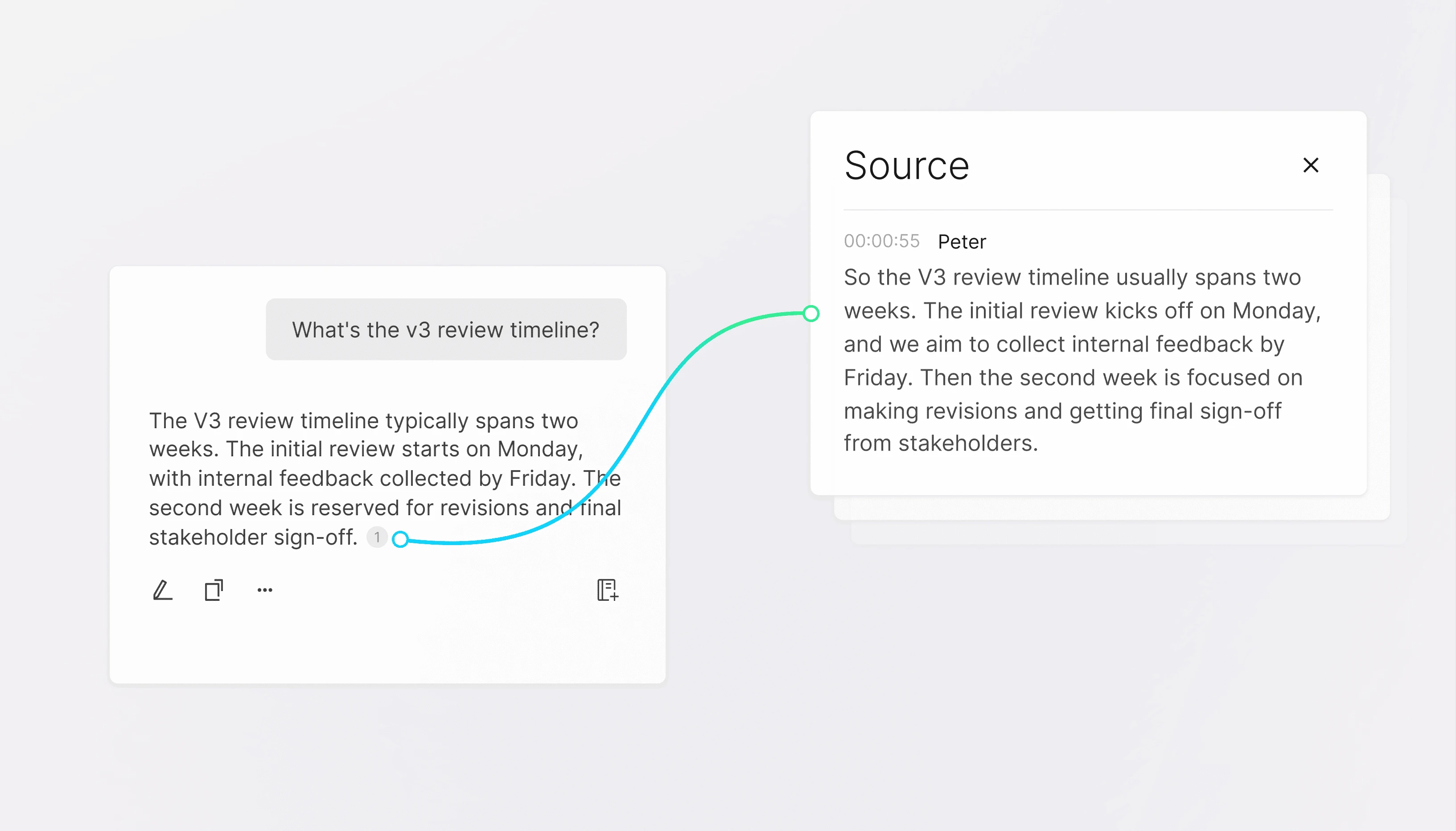
They make the recording process much more convenient; there is no need to unlock your phone and hunt for an app—just press a button to start recording. Once finished, the AI can automatically transcribe the audio, identify different speakers, and generate meeting minutes and to-do lists. If you need to verify a specific quote, you can search the text to jump directly to the corresponding point in the audio.

For those who frequently attend meetings or conduct interviews, these devices eliminate the hassle of taking notes by hand and cut down the time spent replaying audio and organizing materials afterward. However, these devices have one major limitation: you have to remember to turn them on in advance. When a colleague assigns a task on the fly in the hallway, or a brilliant idea suddenly comes up during a casual chat, the conversation is usually over by the time you remember to hit record.
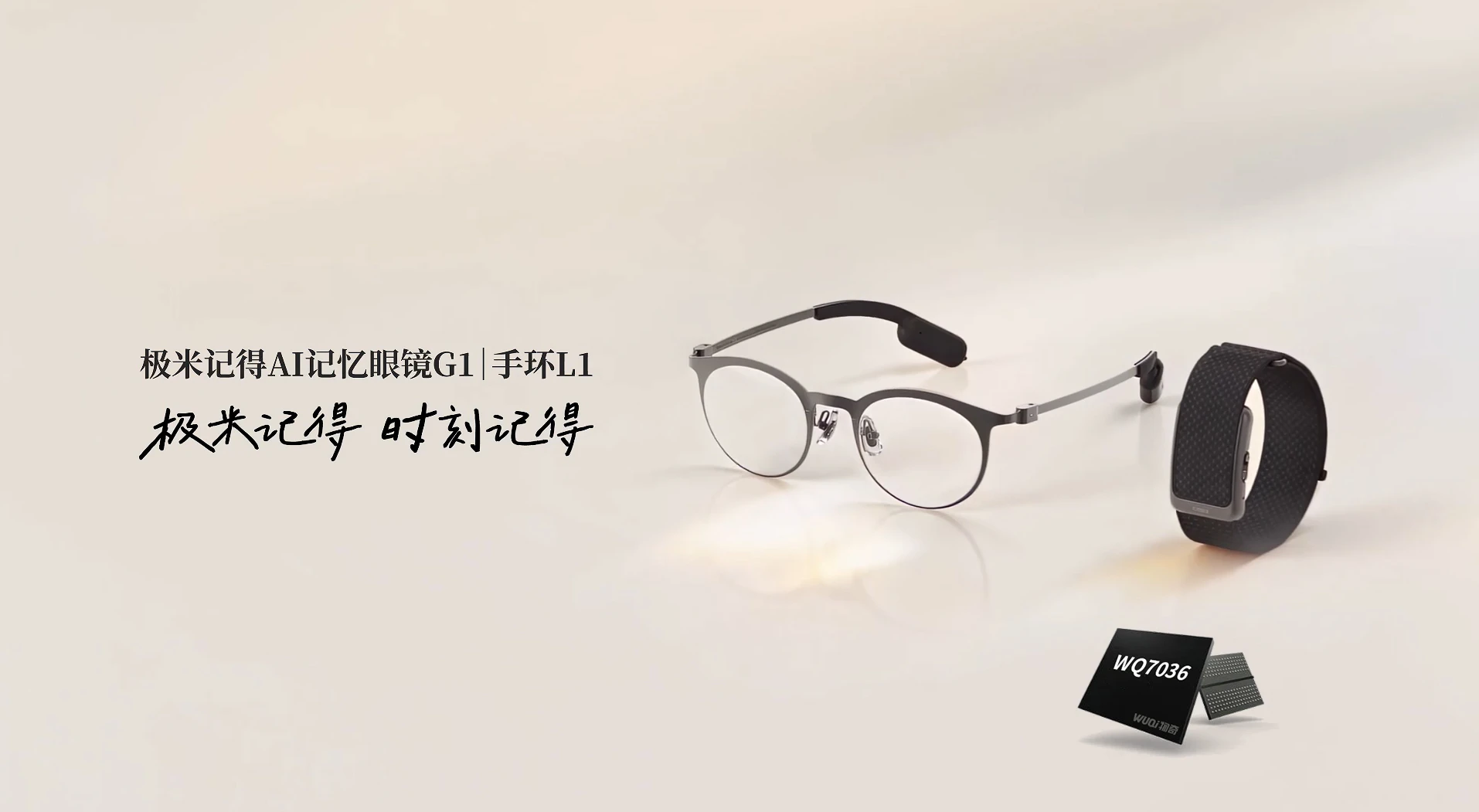
This year, a number of manufacturers have simply eliminated the manual recording step altogether, aiming to turn these devices into an "external memory drive" for the user. Take the XGIMI Jide AI Memory Bracelet L1, which went on sale in late October: it has no screen and no camera, but it continuously records daily conversations when worn on the wrist. The AI then extracts useful information from the audio to generate minutes and to-do lists.
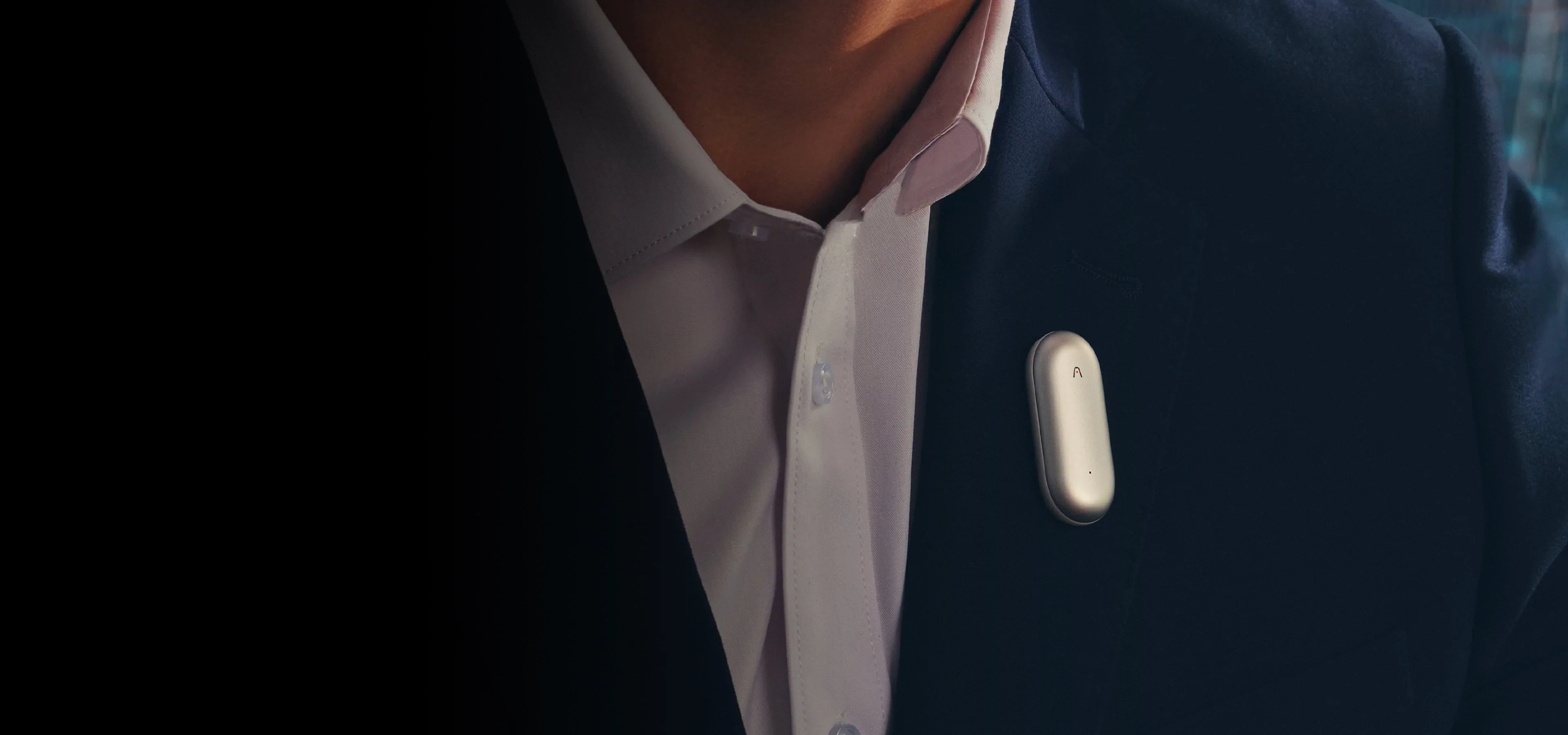
The OPPO AI Mind Ball, currently in internal beta testing, follows a similar philosophy but takes the form of a 9.8-gram pendant that can be clipped to a shirt collar. Beyond just recording and organizing individual conversations, it attempts to link related content across multiple interactions. For instance, if a project is discussed several times and its requirements change midway, the AI can consolidate the scattered information from different conversations, making it easy to track the latest progress.
The differences between these two product categories are actually much greater than they appear. Button-activated recording devices primarily help users organize information they already deem important, while all-day memory devices must also decide for the user what information is worth retaining.
But does AI really know what matters to people? Take the earlier example: "Bring the previous version on Friday." If the AI successfully captures this conversation but only generates a to-do item reading "Prepare materials on Friday," it has logged the event but missed the truly valuable information.
If the device retains the original audio, you can still refer to the recording to recover the exact conversation. However, if the original audio has been deleted and the transcription happens to contain errors, this AI-generated memory could actually mislead your judgment.
Ironically, deleting the original audio is precisely the approach some all-day memory devices use to address privacy concerns. The OPPO AI pendant, for instance, emphasizes processing and then deleting the original audio, retaining only encrypted text. While this reduces some of the risks associated with storing raw audio, it also means there is less reference material available to verify the data when transcription errors or summary omissions occur.
Furthermore, deleting the original audio only addresses how to handle the recording after it is made; it does not resolve whether the conversation itself should be recorded in the first place. When recording a meeting, you can at least ask for consent beforehand. But if a device on your chest or wrist is constantly listening, do you need to remind your friends or clients every time you are eating or chatting with them that you are using an AI memory device?
If you encounter situations where recording is inappropriate and must manually turn off the device, then all-day recording cannot truly be gap-free in real-world use. Raising these issues is not to suggest that AI memory devices lack value, but rather to highlight that, at this stage, different product categories cannot completely replace one another.
For journalists, salespeople, students, product managers, and others with extensive needs for recording meetings, interviews, and conversations, button-activated recording devices that retain original audio and offer easy search and export capabilities are likely the more practical choice. However, buyers need to factor in long-term usage costs; for instance, Plaud offers 300 minutes of free transcription per month, with additional fees applying once that limit is exceeded.
Conversely, for those who frequently receive tasks during fragmented moments and tend to forget verbal instructions, all-day memory devices offer a previously unattainable experience—provided the environment permits recording and the user accepts that critical information still requires personal verification.
If you are considering purchasing one of these products, spend less time during your trial focusing on how many pages of meeting minutes the AI can generate. Instead, try asking it a few questions that genuinely matter to your work: Who promised to send me the materials last week? What was the deadline they mentioned at the time? Have there been any changes to this requirement since then? Then, check whether it can answer accurately and retrieve the relevant conversation details.
After all, we do not buy memory devices just to add a stack of AI-generated daily reports to our reading list. We buy them to retrieve specific information exactly when we need it.
When the device detects physical changes before you do
If AI glasses and memory devices capture information we can naturally see and hear in our daily lives, smartwatches, smart rings, and health bands capture data that we cannot directly perceive ourselves.
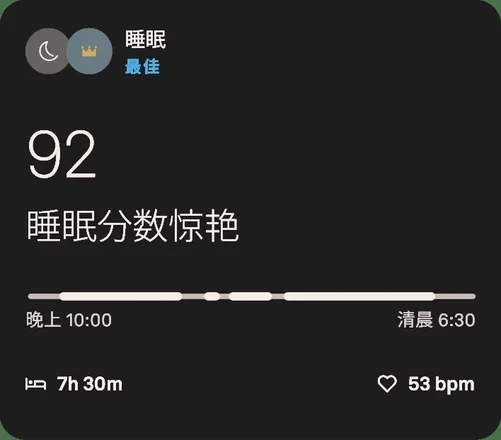
For example, you might wake up feeling great and ready to execute your planned high-intensity interval run. Yet your smartwatch prompts you that your recovery over the past few days has been poor, suggesting you reduce your training volume today. This raises a question: it is your own body, so why should a device on your wrist think it knows better than you do whether you are fit to exercise today?
To understand this, we need to look at how modern health wearables analyze data. In the past, checking smartwatch metrics usually meant looking at how many hours you slept last night, how many steps you took today, or how many calories you burned during a workout. Today, however, many health wearables focus more on how these metrics deviate from your personal baseline.
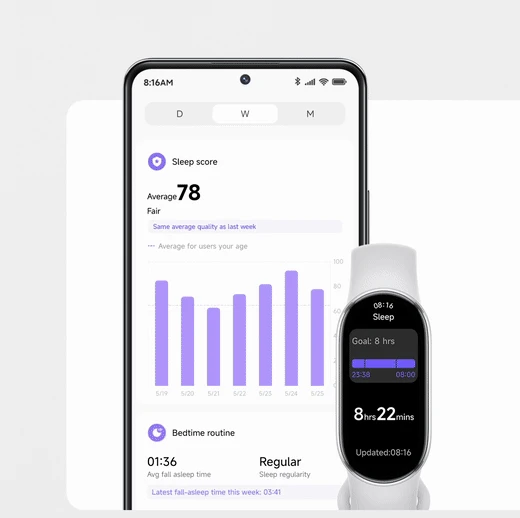
Take heart rate variability (HRV), for instance. Everyone has a different baseline, so looking at a single day's reading in isolation or comparing it with a friend's numbers offers limited insight. However, if your device has been continuously recording data for weeks or even months, it can detect that your resting heart rate has been higher than usual over the past few days and your HRV has dropped. By factoring in changes to your sleep and training load, the device can then alert you to potential issues with your recovery.
This is also why manufacturers continue to roll out new hardware form factors for health wearables, even though these devices have been capable of measuring heart rate and tracking sleep for years. Their goal is not just to measure more metrics, but to design devices you are actually willing to wear all the time. Smartwatches like the Apple Watch, Huawei's sports series, and Garmin allow you to simply flick your wrist during a workout to check your heart rate, pace, and training data—a highly convenient feature for runners, cyclists, and fitness enthusiasts.
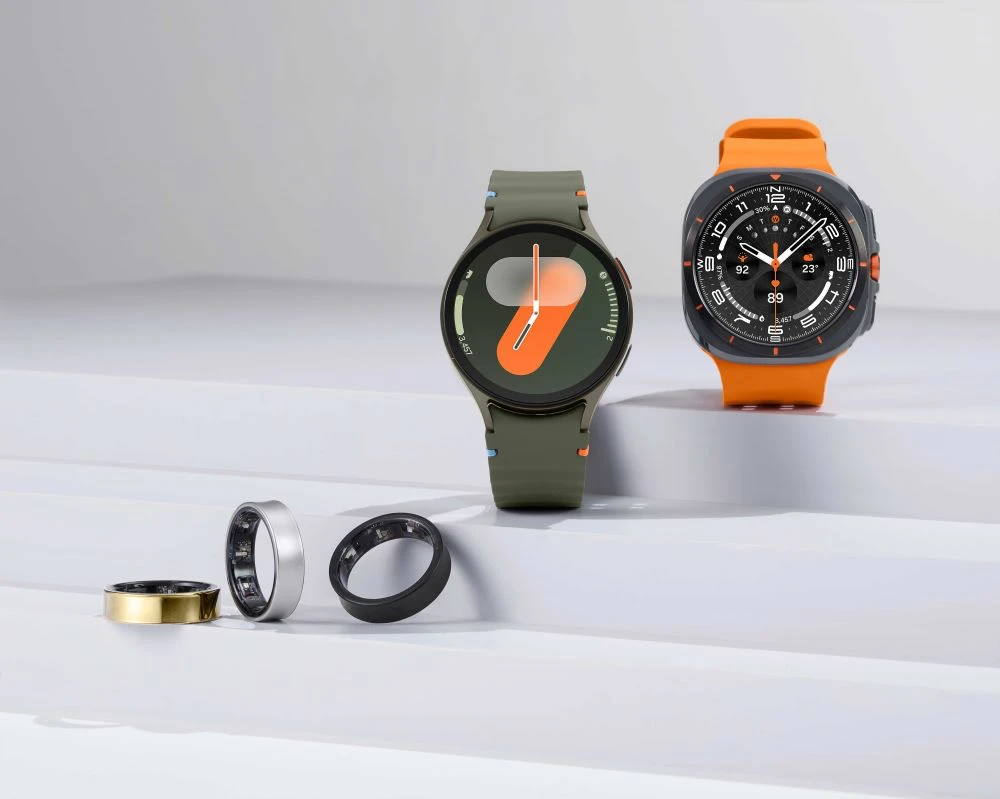
However, many people wear their smartwatches during the day but habitually take them off at night to charge, which inevitably leads to missing nighttime sleep data and heart rate variability (HRV) records. In contrast, smart rings like the Oura Ring 4, Oura Ring 5, and Samsung Galaxy Ring are smaller and lighter. They are less likely to cause discomfort when worn to sleep, and their generally longer battery life compared to smartwatches makes them better suited for continuous physiological monitoring.

However, rings are not more convenient than watches in every scenario. You cannot directly check your pace and heart rate while running, and they can dig into your hand or get scratched by equipment during weightlifting. If you do not need to glance at your wrist for data and find rings cumbersome, consider screenless wristbands like the WHOOP 5.0 or Amazfit Helio Strap. They retain the form factor of a watch but eliminate the screen and message notifications, reducing daily distractions while further extending battery life.
In fact, these three product categories monitor a significant amount of overlapping health data, so the choice largely depends on personal wearing habits. If the smartwatch you already own meets your daily exercise and sleep monitoring needs, there is no need to add another wearable device.
For these AI-focused health management products, the more important question is: what exactly can the device do for us after collecting this data? Returning to the earlier question: should I go for a run today? If a product simply scores your recovery status at 62 and tells you, 'High-intensity exercise is not recommended today,' this conclusion is hard to act on directly.
You might feel physically fine at first, but after seeing the score, you end up unsure whether to head out. However, if the device can further explain that last night's sleep quality was below your personal baseline, your resting heart rate was 5 beats per minute higher than usual, and you completed a heavy training session just two days ago, you can at least contextualize the recommendation based on your recent lifestyle and how your body feels.
Ultimately, whether to take a rest day or switch from high-intensity intervals to a light jog still requires your own judgment. Of course, just because a device can explain the source of a score does not mean its data and assessments are necessarily accurate. You also need to consider the device's data stability and how it handles missing data. For instance, if you forget to wear the device to sleep one night, does it clearly inform you the next morning that data is missing and it cannot fully assess your recovery status, or does it still generate a seemingly precise score? This actually demonstrates the product's value far more than how polished the health report looks.
Many health wearables are now integrating large models, attempting to explain physiological data in natural language, and even launching conversational AI health coaches. However, translating a few trend lines into easily readable text is entirely different from genuinely enhancing health analysis capabilities. A fitness watch without a large language model integration, but with reliable data and clear analytical logic, may be more valuable than a ring that generates a daily AI health report yet fails to explain the reasoning behind its assessments.
For most consumers, the true value of health wearables lies in their potential to detect physiological changes earlier than our subjective feelings, providing additional context for decision-making rather than dictating how we should live our daily lives. It is crucial to remember that the scores and recommendations provided by these devices cannot replace professional medical advice.
From Information Retrieval to Tangible Assistance
Examining these device categories together reveals that while they all emphasize AI, they aim to solve distinct problems. Smart glasses and earbuds are designed to give you more convenient access to AI exactly when you need it. AI memory devices aim to capture information before you even realize its importance. Meanwhile, smartwatches, rings, and wristbands attempt to surface noteworthy changes from data you might not even consciously perceive.

As AI shifts from passively answering user prompts to proactively identifying issues, machines are taking on an increasing share of tasks once reserved for humans. Yet, with every additional responsibility they assume, the complexity of the problems they must solve also grows.
Smart glasses must accurately interpret your underlying intent. Memory devices must determine which information is genuinely important to you. Health devices must know precisely when to offer advice and assess the true reliability of that guidance.
Therefore, to evaluate the value of an AI wearable, consider the steps required to accomplish the same task using just a smartphone. Once the device is worn, which previously impossible, easily forgotten, or tedious tasks become effortless? More importantly, can the device consistently follow through to deliver the exact outcome you actually need?

Finally, weigh the extra costs incurred to eliminate these hassles. Beyond the initial purchase price, consider the daily burden of charging the device, wearing an extra accessory, and potential software subscription fees. Ultimately, buying an AI wearable is not much different from purchasing any other consumer electronic device. Its ability to solve your frequent, everyday problems matters far more than the sheer number of possibilities showcased at its launch event.
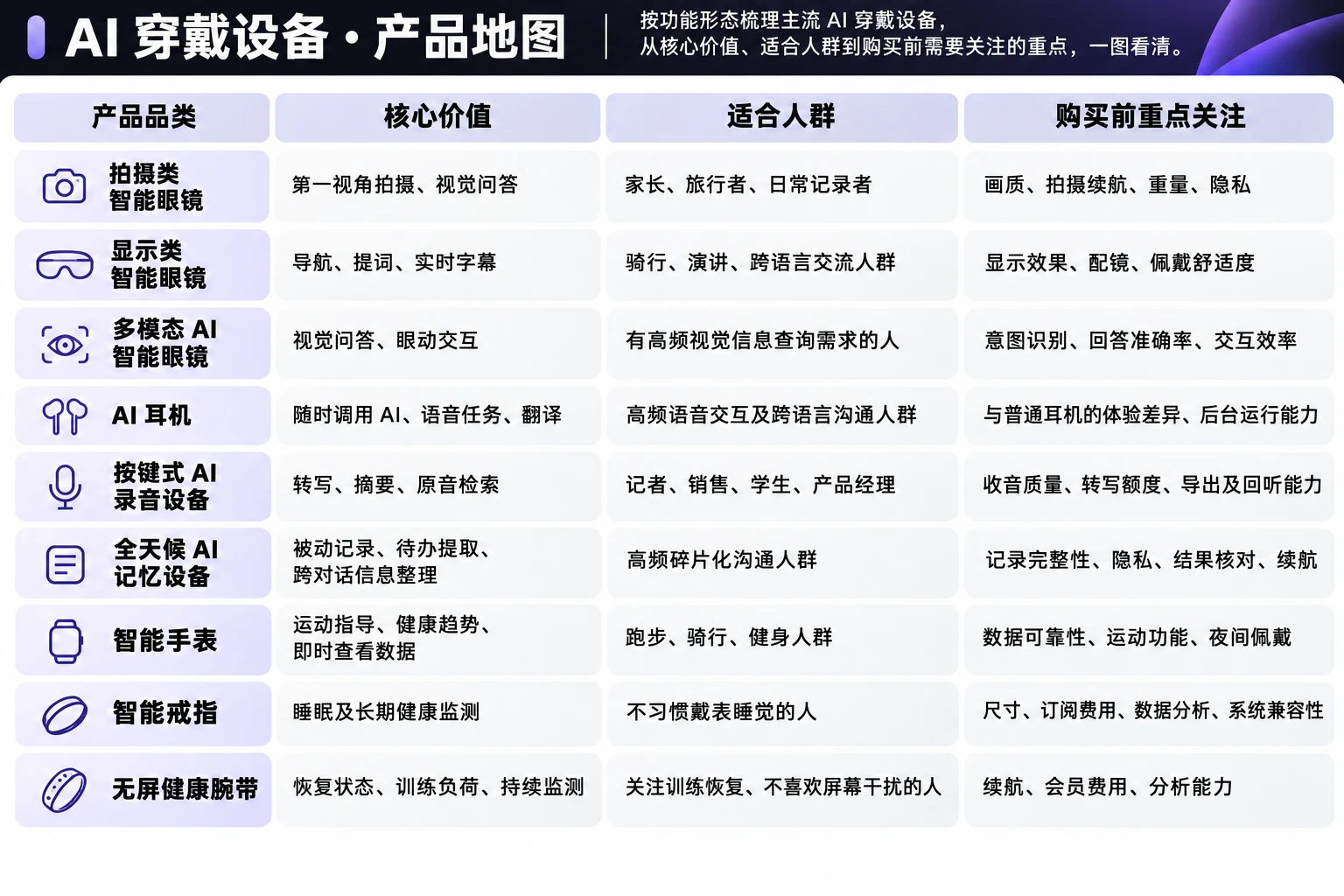
This time, however, we must also consider an additional question: As we delegate an increasing share of our daily lives to AI, to what extent can it actually see things through for us? If you have already identified the specific problems you need to solve, the product map below can serve as a reference for selecting the right device.
Found an error? Tell us

 Daji